

Client feedback,directly on the design.
Proofing software with a built-in annotation tool. Client feedback lands right on the file. No screenshots, no accounts.
Three steps, really.
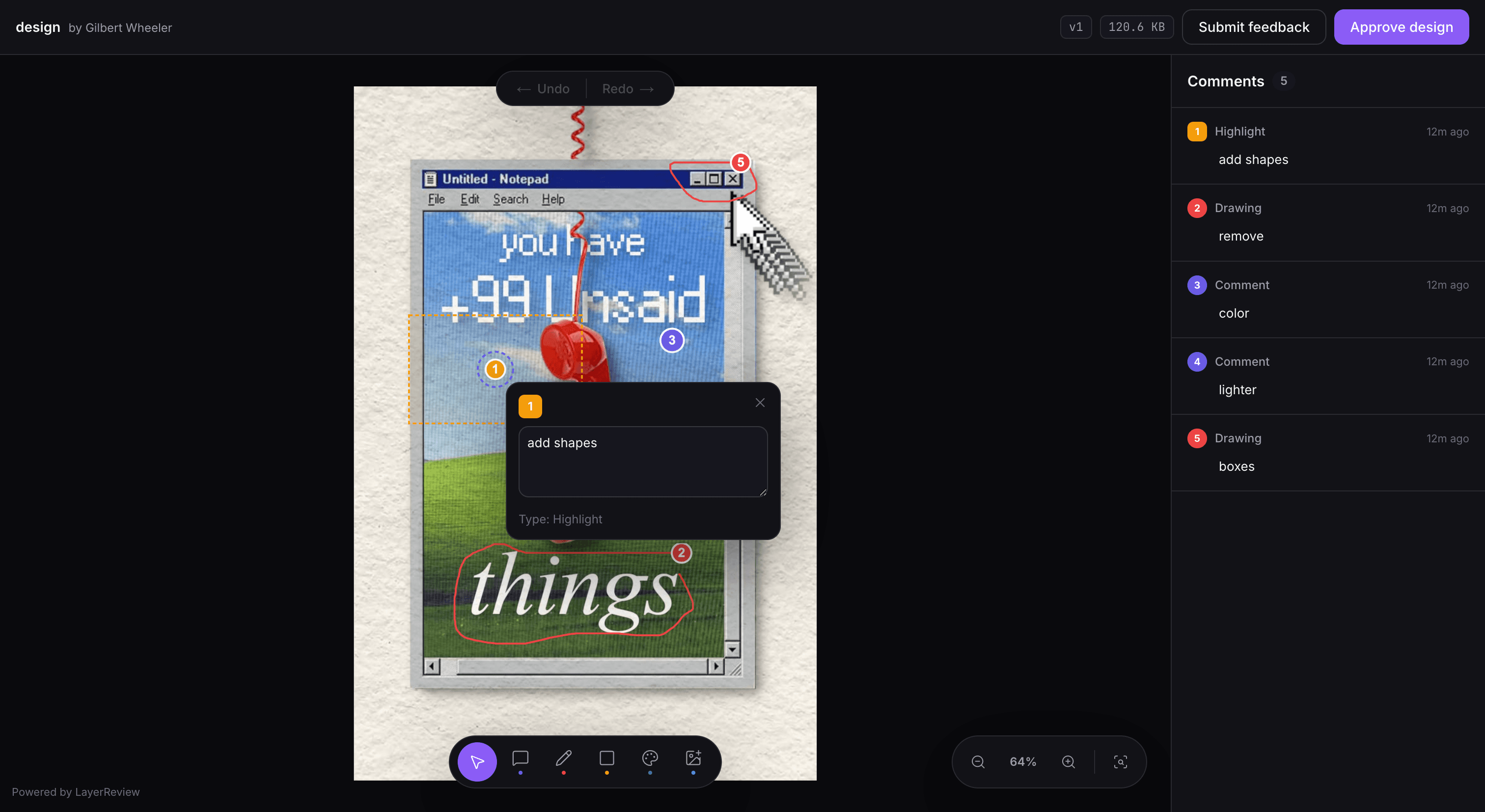
Upload your design
Images, PDFs, video.
Send one link
No client accounts. They open it in the browser, on any device.
Get to approved
Feedback arrives pinned and organized. Resolve it, upload v2, and collect the approval.
How does a project actually go from upload to approved?
The whole journey, start to finish: sign up, upload, invite your client, and watch the feedback come in.
Sound familiar?
You deliver the design. Then the feedback starts, and it’s never where, or what, it needs to be.
Feedback you can't use
A WhatsApp screenshot, a circle drawn in Paint, and a voice note saying "you know what I mean."
Guesswork disguised as direction
"Make the logo bigger." Which logo? Where? By how much? Every vague comment costs you a revision.
Scattered everywhere, saved nowhere
Half the feedback is in email, half in chat, half in a call you didn't write down. That's three halves and it still doesn't add up.
An annotation tool built around the file.
Every LayerReview feature lives on top of the same annotation tool, so feedback never leaves the file it’s about.
Annotation tool for pins, drawings & comments
Give clients a simple annotation tool to leave clear feedback directly on your design. No new app, no learning curve.
Version history
Keep every revision in one place until final approval.
Color suggestions
Get exact color direction from clients instead of guessing what 'a bit bluer' means.
Video review
Review animations and motion graphics with timestamped comments.
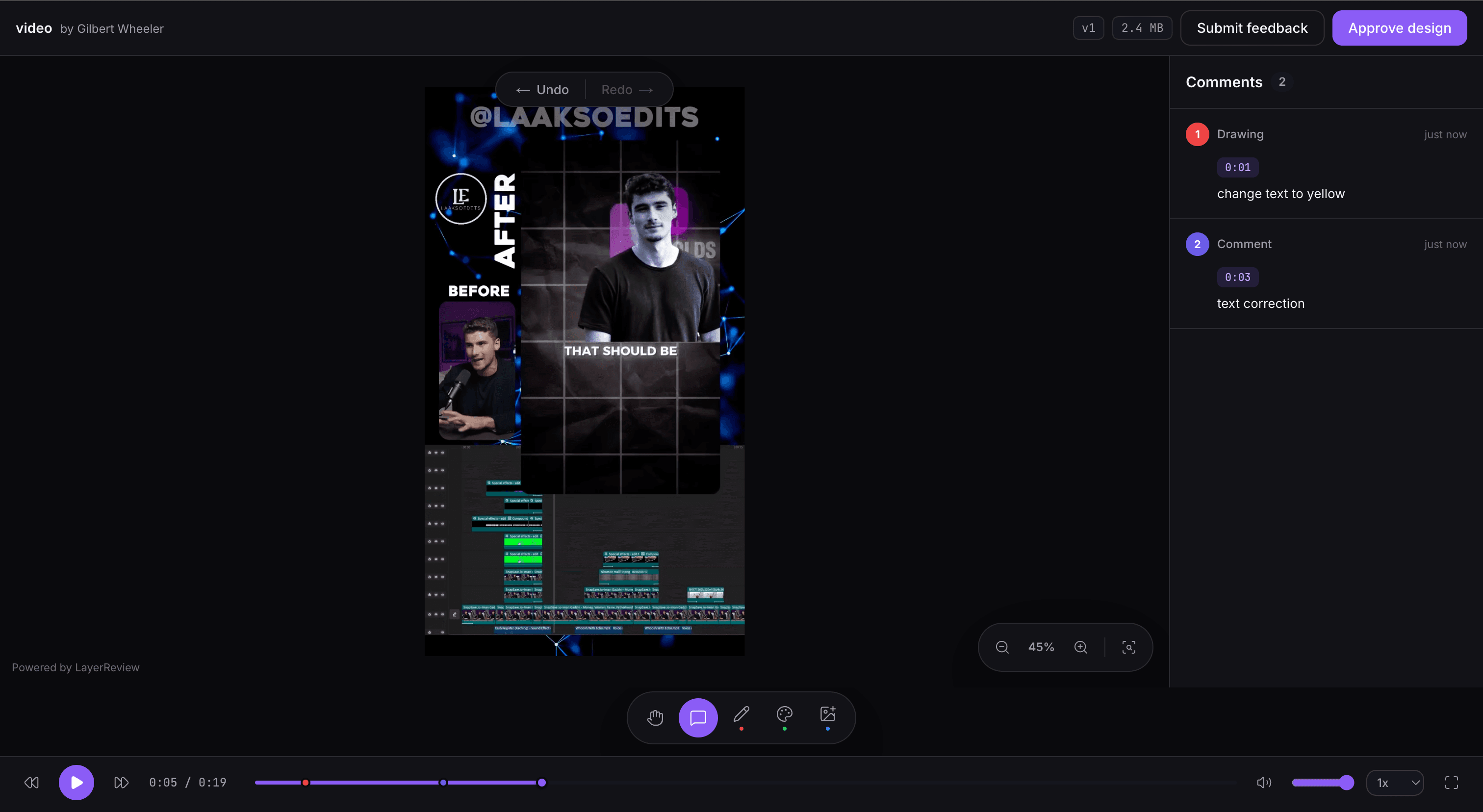
Image references
Clients show you exactly what they mean instead of trying to describe it.
WhatsApp & email invites
Meet clients where they already are, no new app to learn.
Reviewer names
Know who said what on every comment, no client accounts needed.
AI feedback summaries
Turn dozens of client comments into an actionable revision checklist.
Watch every project’s status update itself, step by step, to approved.
Upload. Invite. The pipeline tracks the rest, so you always know exactly what’s next, and which clients need a nudge.
Design Uploaded
Client Invited
Client Viewed
Feedback Received
Revisions Completed
Approval Requested
Approved
Drop in the file. That's step one.
No more guessing. No more “did they see it yet?” No more chasing replies.
Built for one freelancer, not a twelve-person creative team.
GoVisually and ReviewStudio are solid tools. They’re just priced and built for teams, not for one person managing a handful of client projects.
At 5 reviewers, LayerReview costs $20/month flat, while ReviewStudio runs about $75/month and GoVisually about $60/month, both priced per seat, a $55/month difference that only grows as you add more reviewers. Drag the slider below to see it at your own team size.
With 5 reviewers: LayerReview costs $20 per month, flat. ReviewStudio costs $75 per month. GoVisually costs $60 per month. You would save $55 per month with LayerReview compared to ReviewStudio.
Competitor pricing shown is publicly available as of August 2026 and may have changed. Verify current pricing directly with each provider.
Start free. Upgrade when you outgrow it.
Same three plans shown below, with the full feature breakdown and FAQs on the pricing page.
Free
Perfect for designers getting started.
$0
- 2 active projects: perfect for your first reviews
- 250MB storage for your live work
- 50MB per file: great for images and quick PDFs
- 1 client per project
- Image & PDF review: no more WhatsApp screenshots
- 20 replies/month
- No video review
- No AI revision checklists
- "Powered by LayerReview" badge shown on every client page
Solo
Built for freelancers managing client work every week.
$10/mo
- 10 active projects: juggle a full client roster
- 10GB storage: room for full campaigns and video
- 1GB per file: handle heavier exports with ease
- 3 clients per project: loop in every stakeholder
- Timestamped video feedback: pinpoint the exact frame
- 10 AI revision checklists/month: comments turned into action items
- 200 replies/month
- "Powered by LayerReview" badge shown on every client page
Pro
For designers juggling multiple clients and nonstop reviews.
$20/mo
- Unlimited projects: take on every client, no limits
- 50GB storage: every asset and version, always on hand
- 4GB per file: built for heavy video and motion work
- Unlimited clients per project
- Timestamped video feedback: pinpoint the exact frame
- Unlimited AI revision checklists: never manually summarize feedback again
- Unlimited replies
- White-label client pages: no LayerReview badge, just your brand
Prices in USD. Cancel anytime.
What does LayerReview actually change for freelancers?
Drag to see it for yourself.
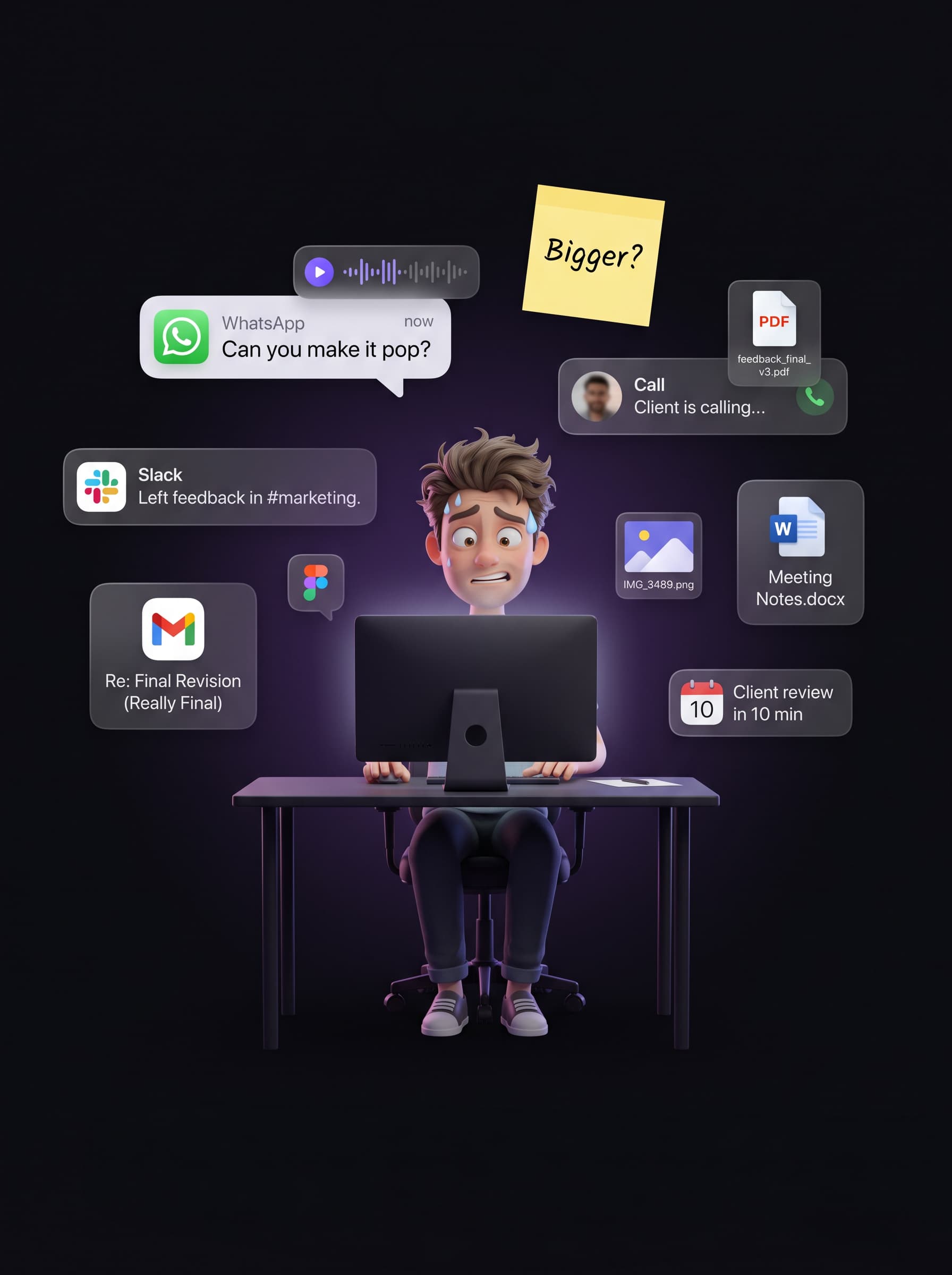
Before LayerReview
Every channel, every hour, no end in sight.
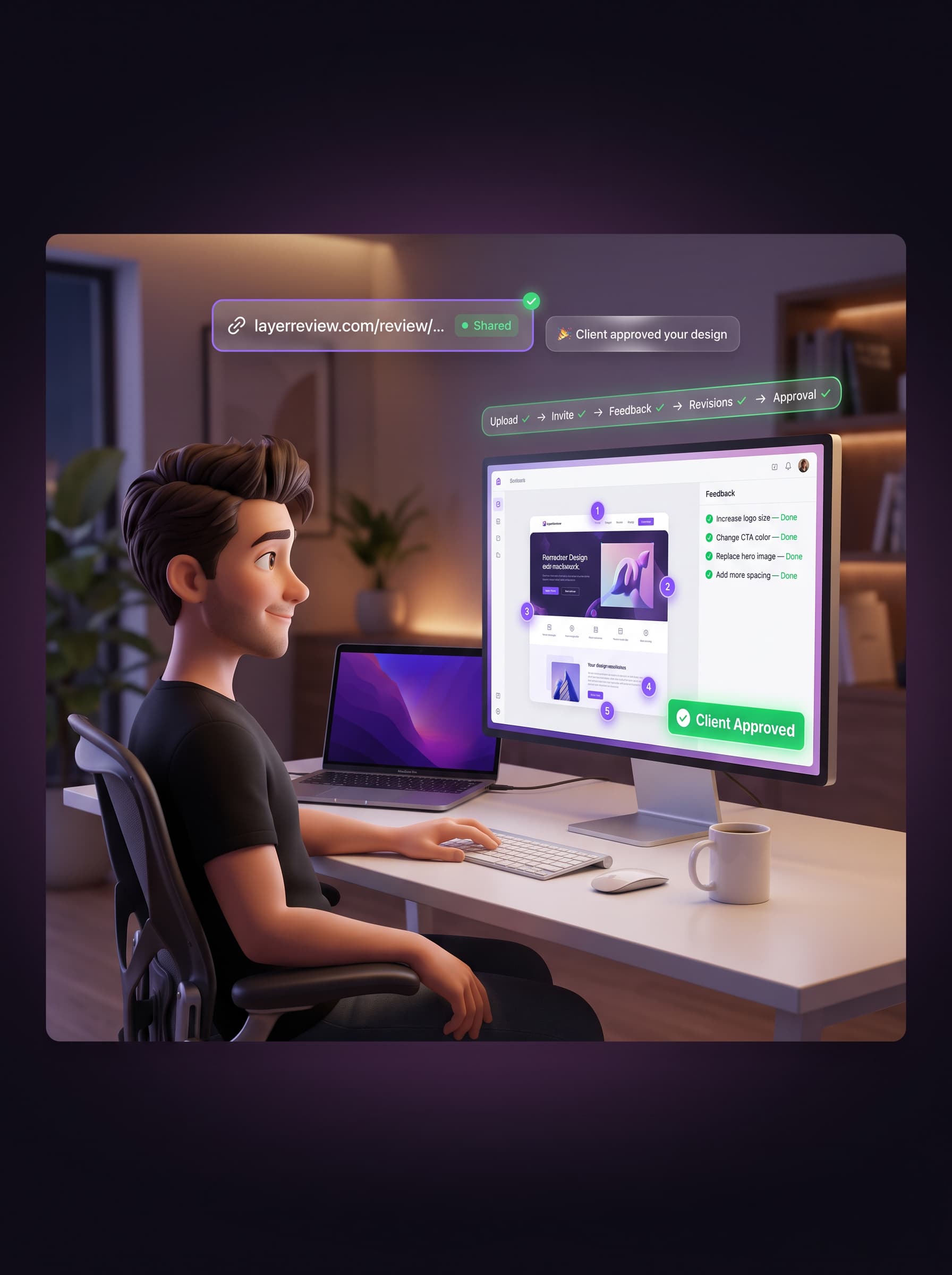
After LayerReview
One link. One dashboard. Client approved.
Every “quick call,” every WhatsApp voice note, every “just checking in” email, traded for one calm dashboard.
We’re early. Here’s the truth.
LayerReview is in early access now, with our public launch this September, so we don’t have hundreds of five-star reviews yet. No cherry-picked quotes, no stock testimonials, just real reviews from real users. Using LayerReview? We’d love to feature yours.
In the meantime: we personally reply to every support email within 24 hours.
No approved reviews yet. We only just opened this up. Check back soon, or be the first.
Frequently asked questions
LayerReview is proofing software for designers, built around a visual annotation tool. Upload a design, send your client one link, and they leave feedback directly on the file with pins, drawings, and comments, instead of WhatsApp screenshots and vague voice notes.
Both, they're the same product. LayerReview is proofing software built around its own annotation tool: clients mark up the file directly with pins, highlights, and comments instead of describing feedback over email. That markup layer is what keeps the whole review organized and moving toward approval.
No. Clients open your review link in any browser and start leaving feedback immediately, no signup, no app to install, no password.
Yes, from your billing page in one click. You keep full access through the end of your paid period, with no long-term contract.


Your next review, sorted.
Try the proofing software and annotation tool built for freelance designers. Upload a design, send one link, and get feedback you can actually act on. Free to start. No card, no client accounts.
No credit card required